New channel
1440 adds Apple Messages for Business as a new Channel to OpenClaw
OpenClaw already speaks dozens of messaging protocols. With 1440, Apple Messages for Business joins the list — turning Apple's native customer messaging surface into a first-class destination for your AI agents, right next to iMessage.
A new option in the channel picker
When you spin up a session in OpenClaw, Apple Messages for Business (1440) appears alongside every other channel — iMessage, Slack, Telegram, WhatsApp, Discord and the rest. One agent, every surface your customers actually use.
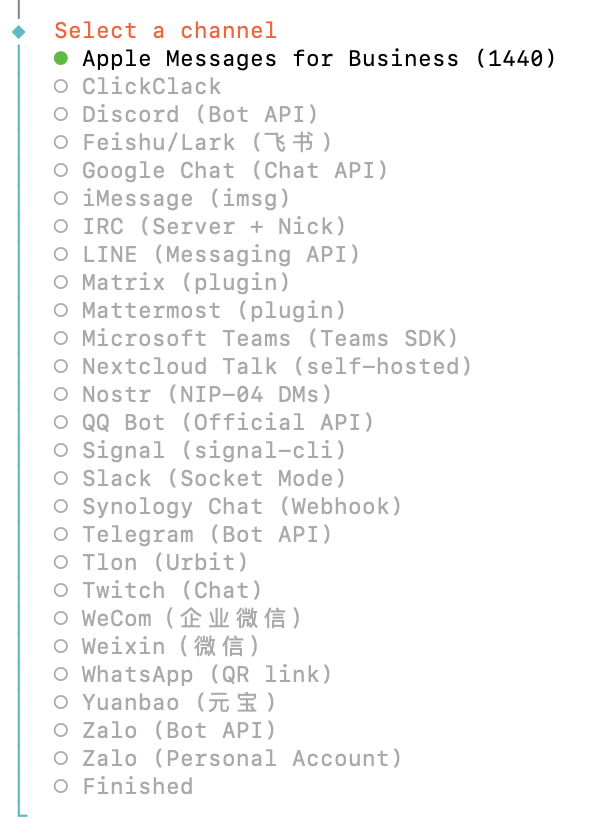
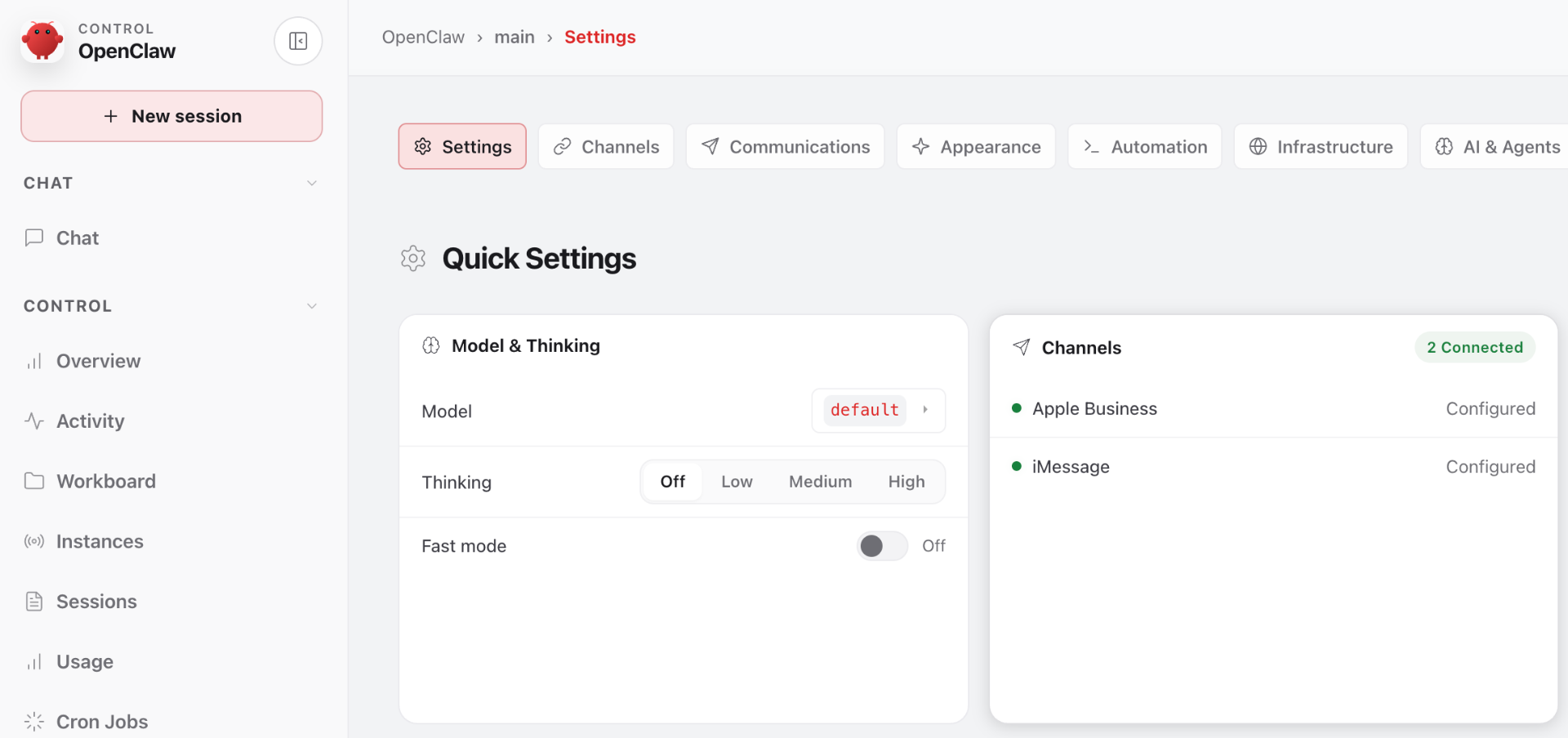
Apple Business + iMessage, side by side
Configure Apple Messages for Business as your customer-facing channel and keep iMessage for personal or internal traffic. OpenClaw treats both as connected channels in the same project — pick model, thinking level, and routing once.
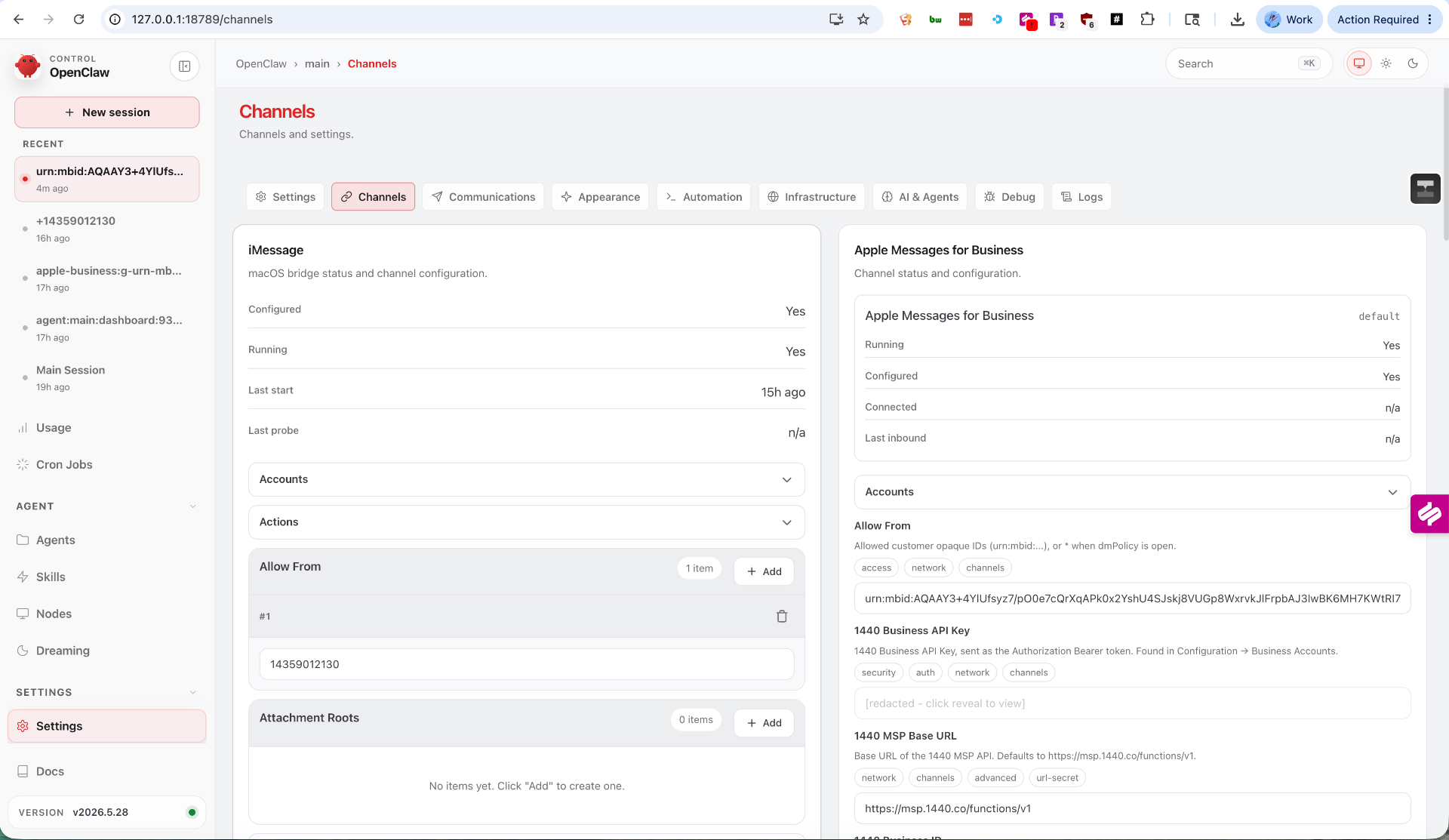
Full channel configuration, managed by 1440
1440 handles the AMB onboarding — Business ID, API keys, MSP routing, allow-listed customer IDs and attachment roots — and surfaces it all inside OpenClaw's Channels tab. No separate dashboard, no SDK plumbing.
Beyond imsg starts here.
Join the waitlist and help shape the future of AI agents on Apple Messages.